A couple of years ago I wrote about WebAssembly fantasy consoles, and about the three I had spent time with: WASM-4, MicroW8 and TIC-80.
I wanted to make one of my own, so I built vex, a small fantasy console that runs WebAssembly carts.
What vex is
A cart is any wasm32 module that exports update() and imports a small
drawing, input and audio API from the host. The host opens a window, calls
update() sixty times per second, and blits the fixed 320×180 framebuffer
to the screen.
There is no IDE, no proprietary cartridge format and no custom toolchain. If
your language can compile to wasm32-freestanding and call imported
functions, it can make a vex cart.
Specs
- Display: 320×180 framebuffer, scaled with nearest-neighbour filtering.
- Palette: 16 SWEETIE-16
colors; any entry can be overridden with
pal(). - Frame rate: 60 fps —
update()every frame, optionalboot()once at startup. - Input: six buttons (arrows,
Z,X) and mouse. - Gamepads: native and web; web adds a virtual gamepad in portrait.
- Audio: four voices — pulse, triangle and noise; ADSR, panning, PWM and FM.
Note: The framebuffer is not cleared for you, and colors are always palette indices rather than RGB values. Start
update()withcls()or redraw the whole screen.
Palette indices pay off with pal(): change one entry and every pixel using
that index changes with it. That is an easy way to animate a whole scene
without touching the drawing code.
Carts in the wild
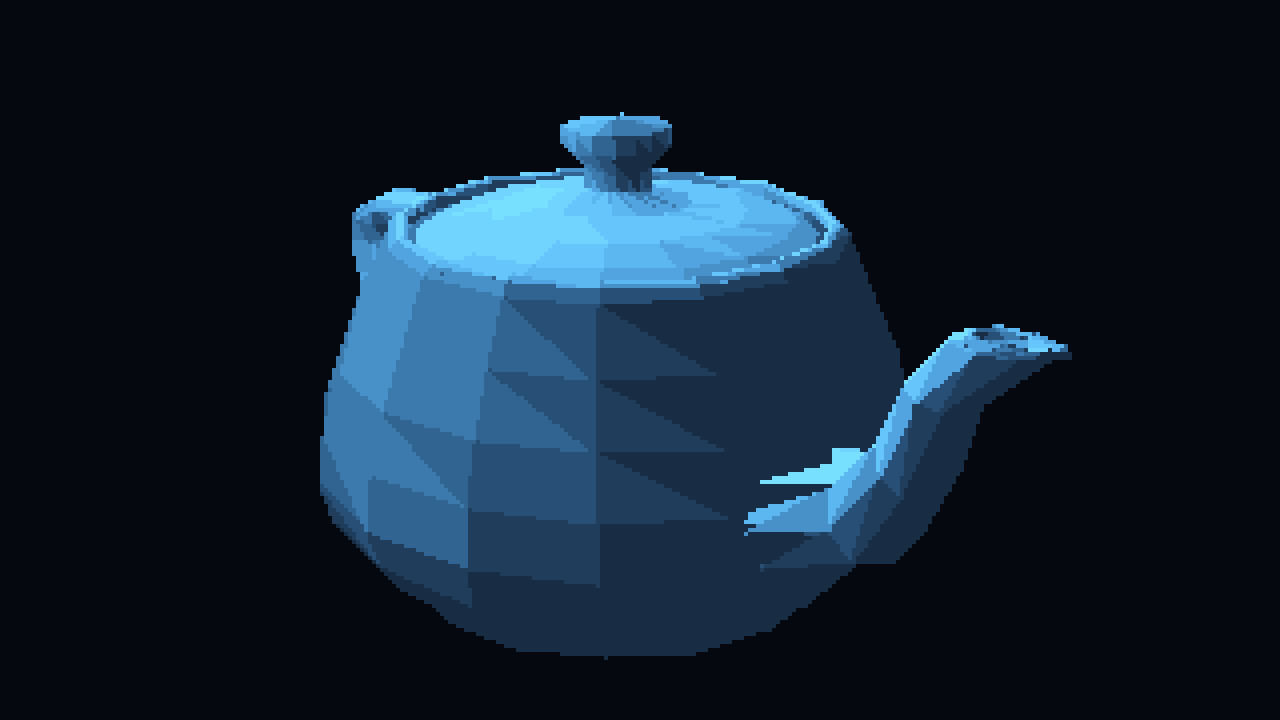
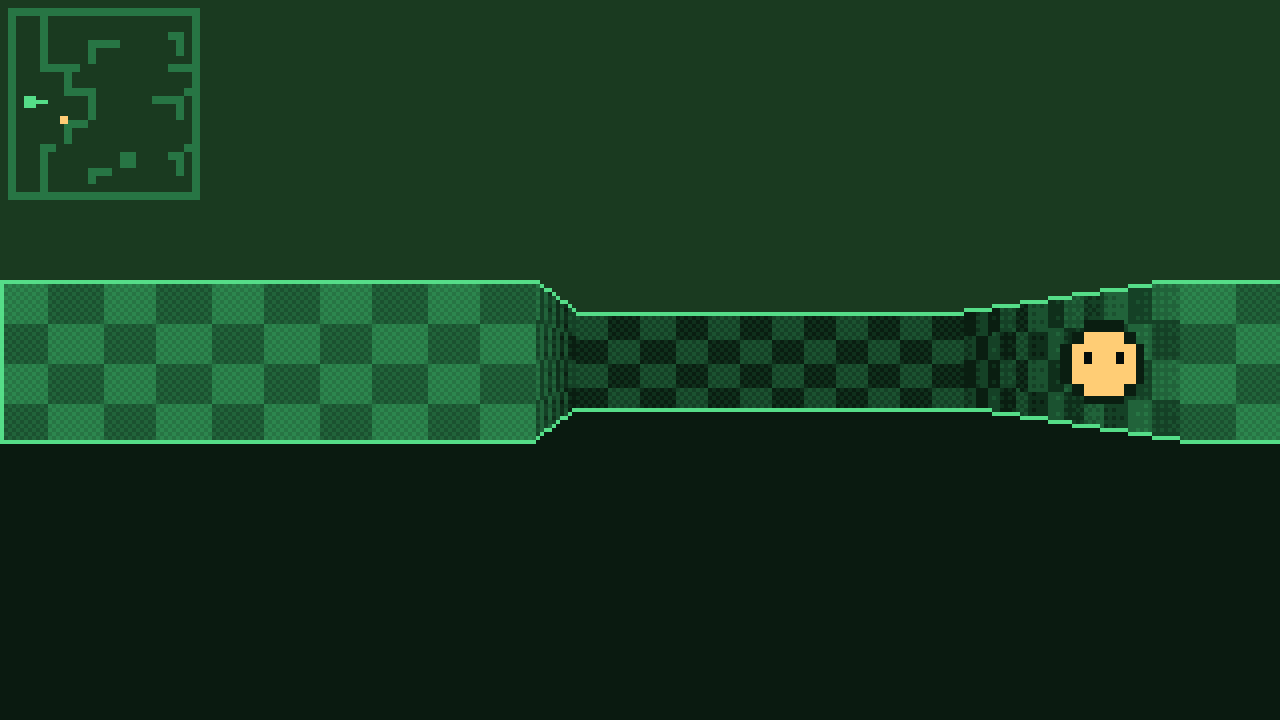

A 3D Utah teapot, a raycaster and a plasma effect, all running as vex carts.
Getting vex
Prebuilt binaries for Linux, macOS and Windows are on the
releases page. From a
checkout, make builds vex, vex-init and vex-web into ./bin, and
make install copies them to ~/.local/bin (override with PREFIX).
Important: To build vex from source, use a stable version of Zig (0.17.1 as of this writing), not a nightly.
std.Build’s API changes between development builds, and a mismatched compiler breaks both the project and raylib’sbuild.zig.
Writing a cart
Both SDKs are a single file that you drop next to your cart:
vex.h for C and
vex.zig for Zig.
mycart.c
#include "vex.h"

VEX_EXPORT("update") void update(void) {
  cls(0);                      // dark background
  text("HELLO VEX", 8, 8, 12); // white text
  circ(160, 90, 20, 10);       // yellow circle
}
Compile it with the Zig toolchain, no extra SDK install needed:
zig cc --target=wasm32-freestanding -nostdlib -Os \
  -Wl,--no-entry -I. -o mycart.wasm mycart.c
Then run it:
vex mycart.wasm
vex-init scaffolds a standalone Zig cart project with the SDK pinned:
vex-init mygame
cd mygame
zig build run   # builds, installs and runs the cart with watch enabled
Tip: The generated build also has a
webstep, and the native host reloads the cart when the file changes, so the loop is: save, build, play. No restart.
The API
Cheatsheet
- Draw:
cls(color),pset(x, y, color),rect(x, y, w, h, color),rectb(x, y, w, h, color),circ(x, y, r, color),circb(x, y, r, color),line(x0, y0, x1, y1, color),tri(x1, y1, x2, y2, x3, y3, color),trib(x1, y1, x2, y2, x3, y3, color) - Sprites:
blit(data, x, y, w, h, key),blitm(data, x, y, w, h, key, map) - Text:
text(s, x, y, color),title(s) - Palette:
pal(index, rgb),palreset() - Input:
btn(button),btnp(button),mx(),my(),mbtn(button) - Audio:
tone(freq, duration, volume, flags)
btn() reports a held button, btnp() only the frame it was pressed, and
every color is a palette index 0..15. Details are in the
README.
Sprites
There are no spritesheets, maps, or built-in sound editor. A sprite is
just a w×h block of palette indices that you hand to blit, with a
transparent key. blitm adds a 16-byte remap table, so the same pixels can
be recolored without changing the source. On the Zig side, @embedFile
brings a paletted PNG into the binary and spr.fromPNG from
spr.zig
decodes it into that block at compile time.
Audio
Audio is a single tone() call with four bit-packed integers: freq
carries an optional slide target, duration holds the four
ADSR segment lengths in
frames, volume holds the sustain level and any FM parameters,
and flags picks the channel, waveform, duty cycle and panning, plus
switches for hold, release, PWM and FM. The SDKs provide helpers so you
never pack those bits by hand. Middle C for one second on channel 0:
tone(262, VEX_TONE_DURATION(0, 0, 60, 0), VEX_TONE_VOLUME(100, 0),
     VEX_TONE_FLAGS(0, VEX_TONE_MODE0, 0));
At 60 fps a sustain of 60 frames is one second. The console owns the audio clock, so a cart only has to say what should happen, not when the next audio buffer is due.
Two hosts, same carts
The reference host is a single C file. It opens a raylib window and runs the cart with wasm3, a small embeddable WebAssembly interpreter. That keeps the native host easy to build and easy to trust: no JIT, no platform-specific runtime, just an interpreter and a framebuffer.
The second host runs in the browser. vex-web
is a small Go server that serves a page embedding the same
carts in a <canvas>. The console API is reimplemented in JavaScript,
including the shared 8×8 bitmap font, and the cart file is read from disk on
every request. The page watches it over
Server-Sent Events,
so rebuilding the cart live-reloads it in the browser.
# straight from GitHub, no checkout:
go run github.com/peterhellberg/vex/cmd/vex-web@latest mycart.wasm
vex-web -bundle mycart.wasm writes a self-contained bundle/<name>/
directory (and a zip) with the page, the browser host and the cart, ready to
upload to any static host.
That means the same .wasm file can be played on the desktop, in a browser,
or dropped onto the page to replace the running cart. The web host also
picks up gamepads through the browser
Gamepad API
and shows a virtual gamepad in portrait, so carts can be played on a phone.
Debugging and benchmarks
A cart does not need a window to run, so the native host also has a headless mode:
vex -n 600 --dump frame.rgba mycart.wasm
It runs 600 frames with no window or audio, then prints the time per frame,
how many times the framebuffer changed, its
FNV-1a64
hash, and the final palette. Add -t to trace each change, or use the hash and dumped frames as
a regression test. When a cart looks frozen, the change count tells you
whether the problem is in the cart or in the display.
Where it is now
vex is at version 0.6.3, with source on
GitHub. The repository contains the C
and Zig SDKs, both hosts, the vex-init scaffolder, example carts, and a
Playwright suite that drives the web host at
several phone and desktop viewport sizes.
It is still a small console, and I would like to keep it that way. The fun part is finding out what fits in 320×180 pixels and sixteen colors.